
Light up
your own world
Evening in townhouse windows, street lamps and a single flash from a welder. Set up lighting that gives your layout a rhythm and shows the story you want to tell.
Window lights and street lamps create an evening scene.
Every light
has a purpose
Start with a single point. Then combine building, street and detail lighting into one show.
Brightness under control
Set steady light and brightness on the appropriate outputs. Distinguish gentle indoor lighting from street lighting.
Smooth transitions
Fade lighting points in and out. Plan a gentle transition from day to evening.
Colour and zones
Combine RGB or RGBW channels into groups and zones, according to your controller's capabilities.
Effects with character
In PRO, use pulsing, strobe, welding or faulty bulb effects.
A coordinated show
In PRO, combine lighting with movement, sound and successive scene actions.
Your own panel
Name outputs after buildings and places. Control lighting with the buttons on your panel.
How will you use it
on your layout?
Evening in the neighbourhood
Street lamps, shop windows and apartment windows light up one after another. Different brightness levels help distinguish streets from interiors.
Workshop by the tracks
A brief welding effect appears against steady lighting. In PRO, you can include it in a longer scene.
Property development presentation
Highlight a selected building, unit or layout zone. Panel buttons guide the viewer through the project.
From setting
to light
The computer sends settings to the controller. The PWM module controls the connected lighting points. Raspberry Pi also has diagrams for direct connection via GPIO and I²C.
- 01Control
App
Panel and settings
- 02Controller
Arduino Uno
USB connection
- 03Outputs
PCA9685
PWM outputs
- 04On the layout
Lighting
LEDs on the layout
What to prepare
Go to diagramsArduino or Raspberry Pi
Choose the diagram for your system. Pin labels and logic levels depend on the board.
PCA9685
PWM output module. In the current diagram, the LED uses a resistor built into the board.
LEDs, power and wires
Choose components for the number of channels, voltage and load. Other light sources may require a suitable output driver.
Expand your layout
Hardware, effects and files from the catalogue. Match them to the devices and scenes you are working on.

“City at Night” scene
A ready-made lighting and movement scene for your layout.
View category Coming soon
Emergency Frees Starter
A free set of emergency lighting effects.
View category Coming soon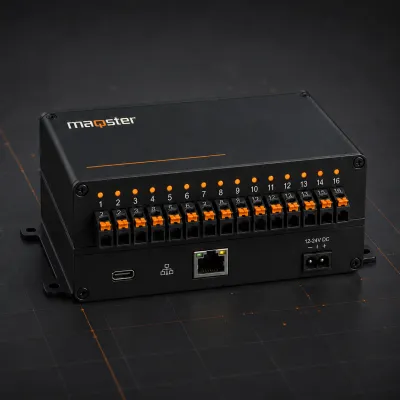
Input and output controller
16 configurable I/O channels for layout automation.
View product Coming soon